Files and notes
Plain files,
close at hand.
Your notes are ordinary Markdown files in iCloud Drive or any folder you choose. No vault, no database, no import, no file manager to keep tidy: open a note and write.
Where your notes live
When you are signed in to iCloud, new notes are saved in Cartamd’s folder in iCloud Drive, shown as Cartamd in Finder and Files. A note started on your iPhone is on your Mac, and the other way round. It is an ordinary folder of Markdown files, synced by iCloud between your own devices.
You can save or move a note anywhere else, and pick another folder for new notes in Settings → General. Without iCloud nothing changes: notes go where you save them.
Open, or start writing
The Open panel (⌘O) has a New Document button at its lower right. It is the default while no file is selected, so Return starts a new note. With your notes in iCloud Drive, Cartamd starts on that panel when there is nothing to reopen.
Open Quickly
Open Quickly (⇧⌘O) finds a note by name in the note’s folder and its subfolders, once you allow that folder. The note opens in place of the one you are on, which is saved first, as in Xcode. Hold ⌥ for a new tab instead.
The Drawer
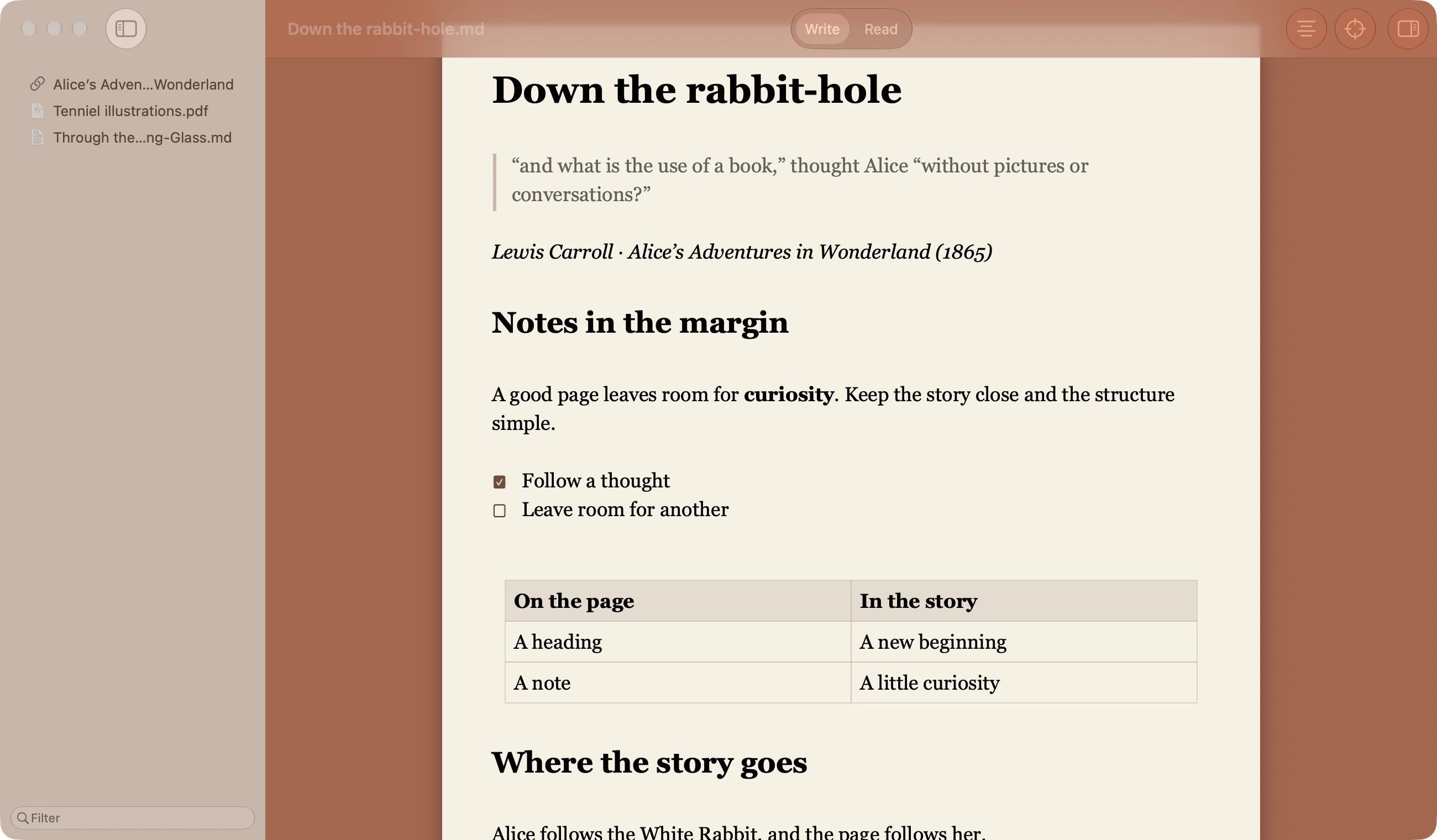
The Drawer (⌘2) keeps what you are working with next to the note: a PDF, an image, a link from your browser. Files stay where they are; the Drawer only remembers them.
Drag selected text in to set it aside as a clipping, as one edit Undo puts back. Drag it back, or choose Put Back to return it to the spot it was cut from, spaced as it was. Clippings live in one folder in Cartamd’s own storage; nothing is written beside your notes. The Drawer is on iPhone and iPad too.
Links and live embeds
An ordinary Markdown link can point to another .md file, and [[wiki links]] work without setting anything up: to a note, a heading or a block. A leading ! embeds the content instead, and the embed follows unsaved edits in the note it shows.
Links never search other folders: a path is read from the note’s folder, or a vault’s. Drag a Markdown file into the editor to insert an embed.
You type
See [[Companion]] for the rest, or [[Reading list|the reading list]].

![[Companion#A small excerpt]]
Cartamd shows
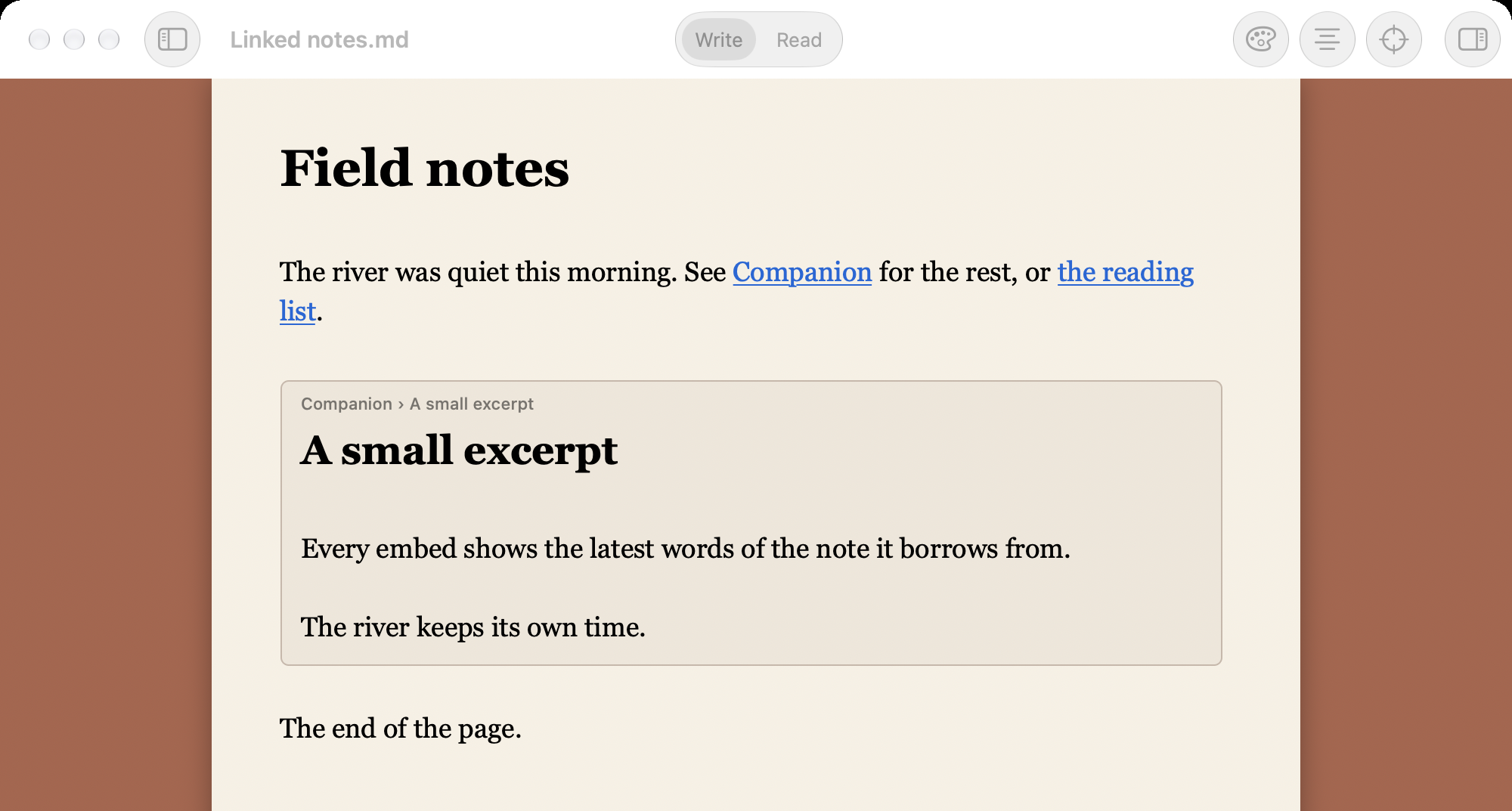
⌘-click a link in Write mode, or click it in Read, to open the note.
Folder access, and images that ask first
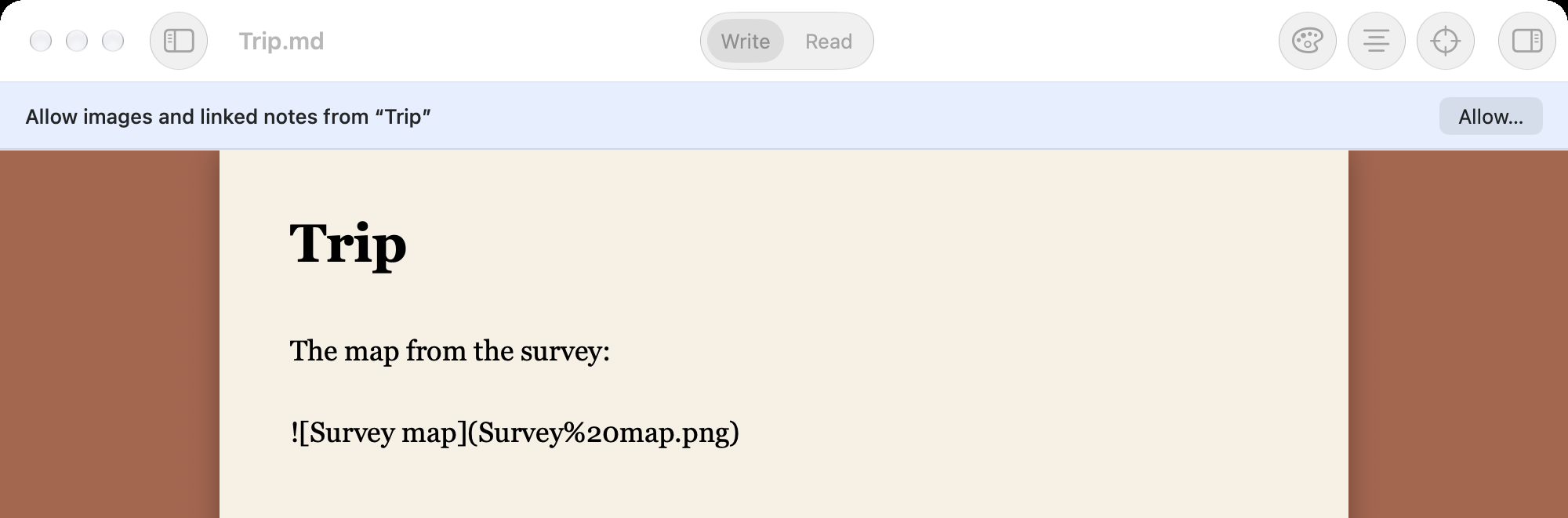
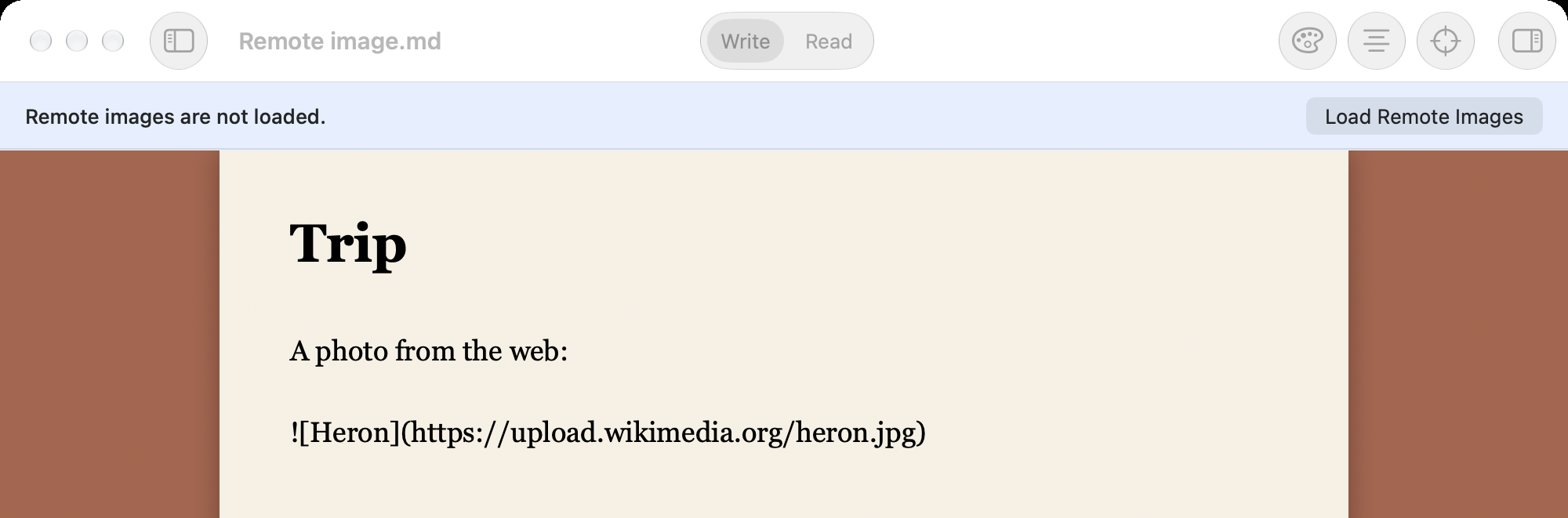
Cartamd reads only the files you open and the folders you allow. When a note’s images or linked notes are in a folder it can’t read yet, a bar at the top of the note says so. Click Allow… and confirm the folder.
Images from the web wait too: loading one tells its server you opened the note. Load Remote Images loads them until the note closes. Every local image you reference renders from disk the first time you open a note.
Quick Look
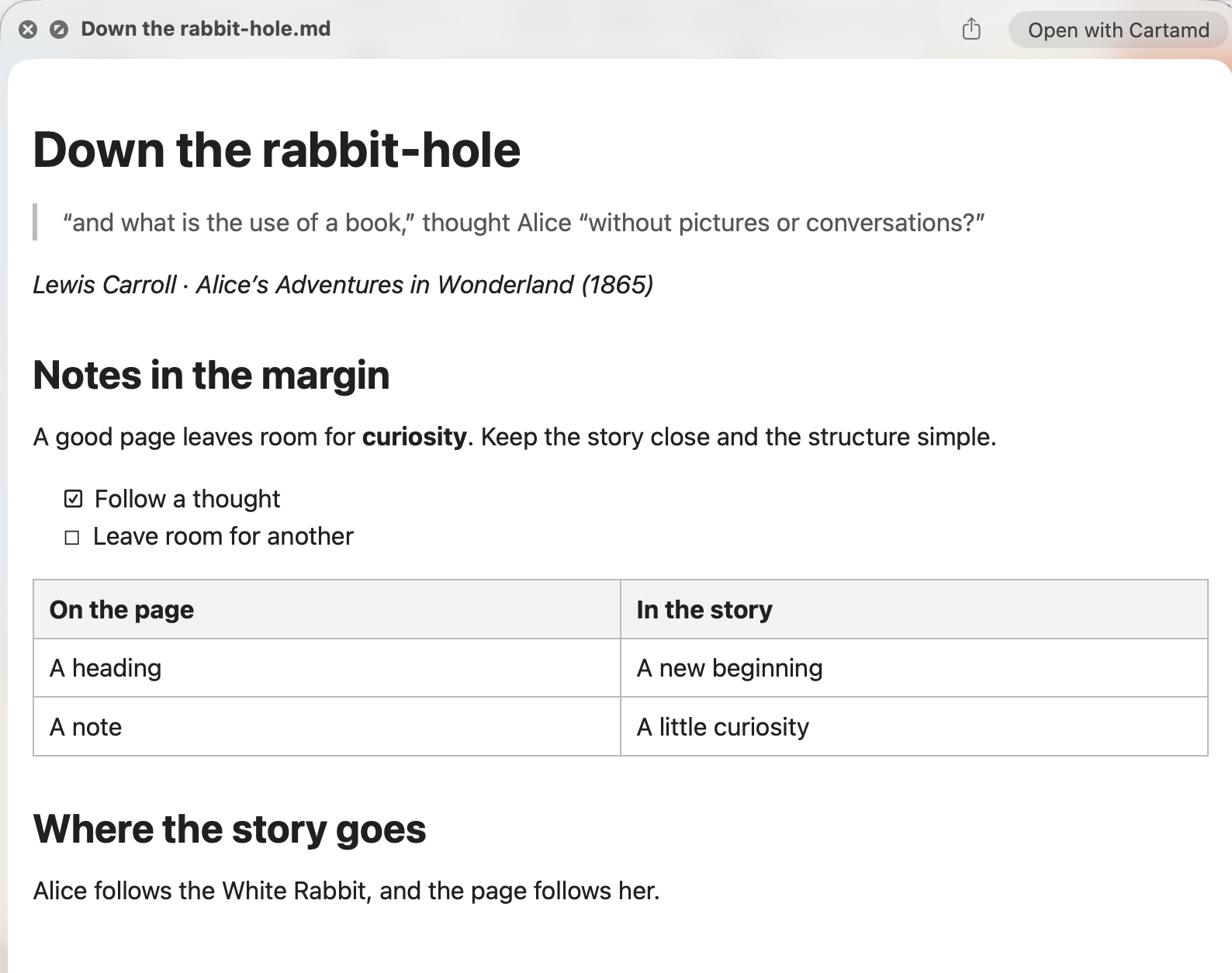
Press Space on a Markdown file in Finder for a preview drawn by Cartamd: headings, lists, tables and code, rendered rather than raw.
A good Mac document
- Autosave after the first save, Duplicate, Rename, Move To and Browse All Versions.
- Native windows and tabs, and notes that reopen where you were reading.
- When another app or device changes the file, Cartamd reloads it if that is safe and asks you if your edits conflict.
- Older text encodings open correctly and are saved back in their own encoding.
- A long note, from about 15,000 words, shows Opening and its name while it loads.