
Structure
Follow the thought.
Find the shape.
Start with a sentence and build it into something long. The outline keeps your headings in reach, and footnotes, citations and an index are written in plain Markdown that every export understands.
An outline you can fold and drag
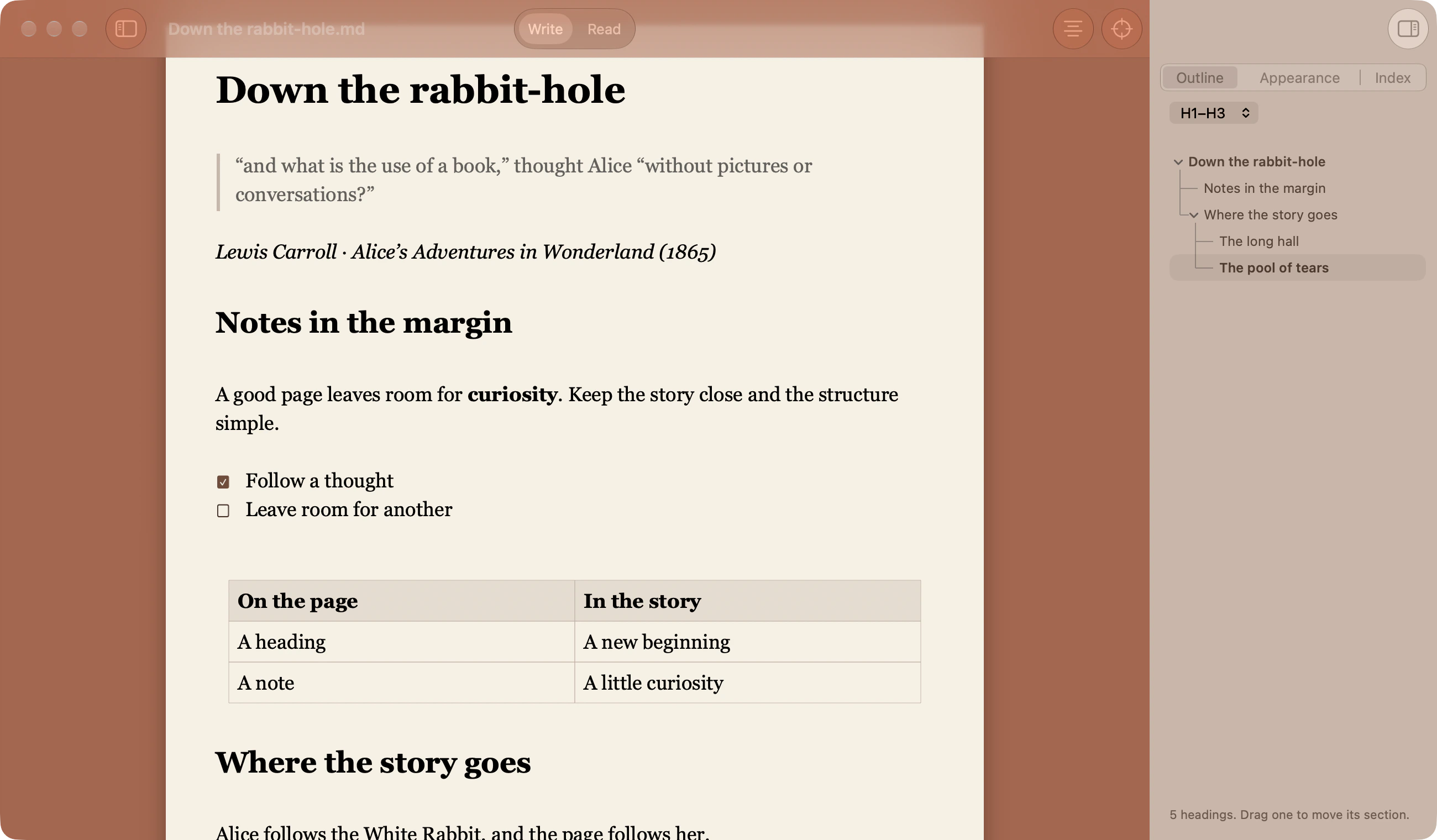
The Outline (⌘3), in the inspector on the right, lists your headings with lines that show the hierarchy, Heading 1 to 3 by default and up to Heading 6 if you like. The section you are in stays highlighted as you write.
- Click the triangle, or press ← and →, to collapse a heading. ⌥-click folds every level under it. Collapsing changes the outline only, never your text, and each note remembers it.
- Drag a heading to move its whole section. It drops only before a heading at its own level or higher, so the hierarchy stays intact. Undo appears for a few seconds after. On iPhone and iPad, press and hold a heading until it lifts, then drag.
- From the keyboard: Move Section Up (⌥⌘↑) and Down (⌥⌘↓).
Index terms, as you write
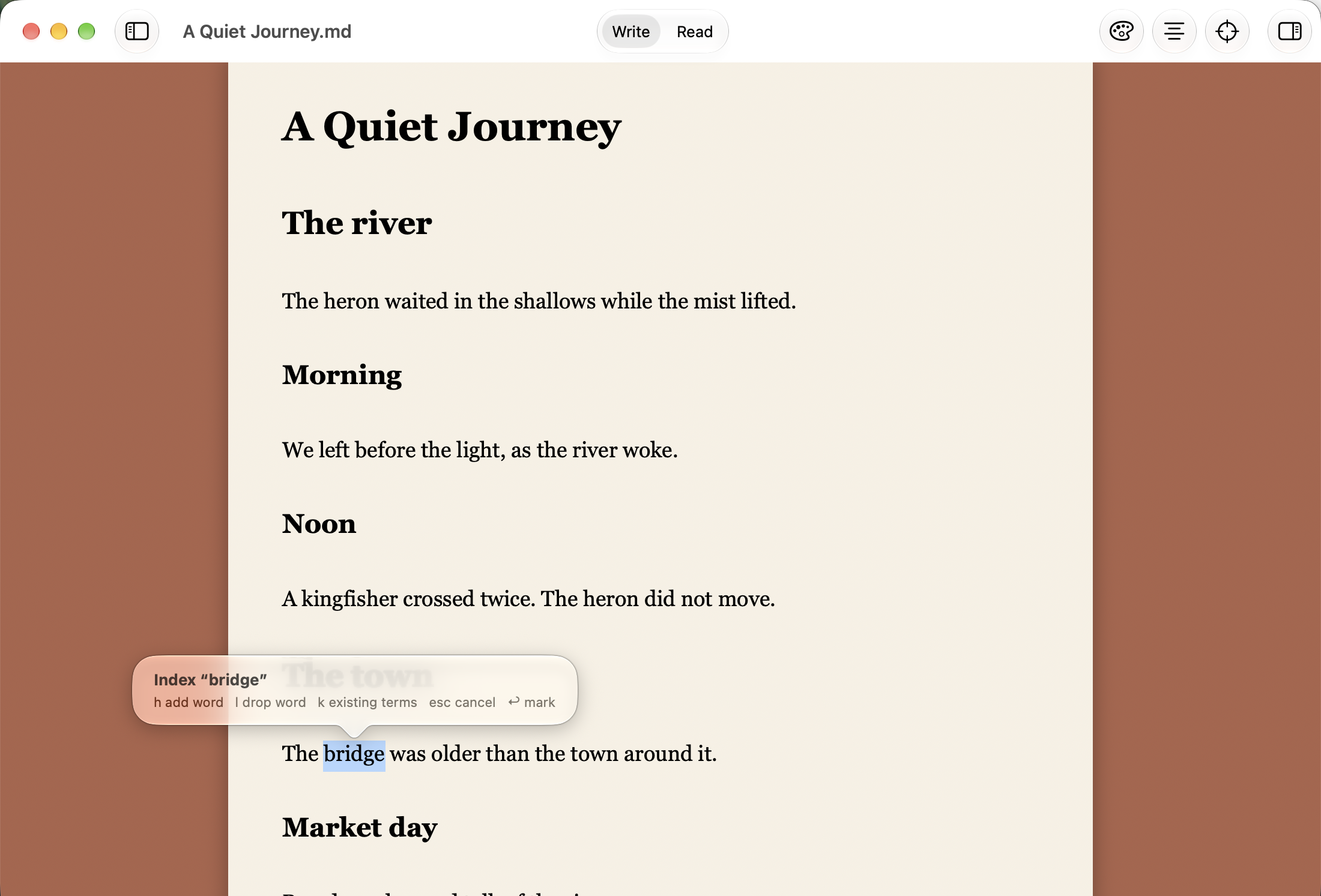
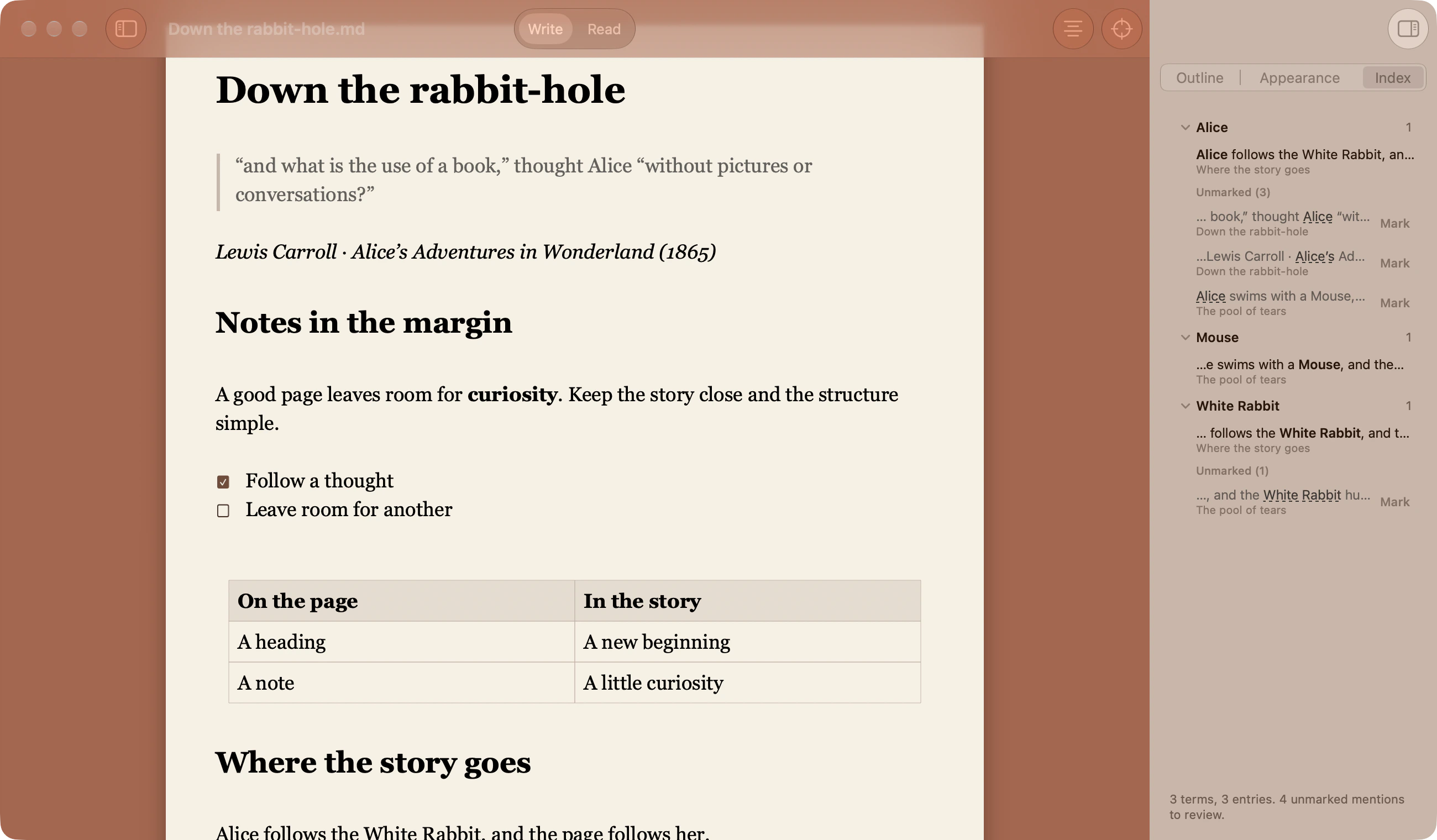
Mark a word or phrase with [term]{.index}, or file it under other words with [the parser]{.index term="Parsing"}. The editor shows only your text; the marker appears when the cursor enters it. PDF and print end with a book index whose page numbers link to their pages.
Mark Index Term (⇧⌘I) selects the word before the cursor with a small panel: h adds the word before, l drops one, k lists similar terms already in the note, Return marks it.
Footnotes that stay out of the way
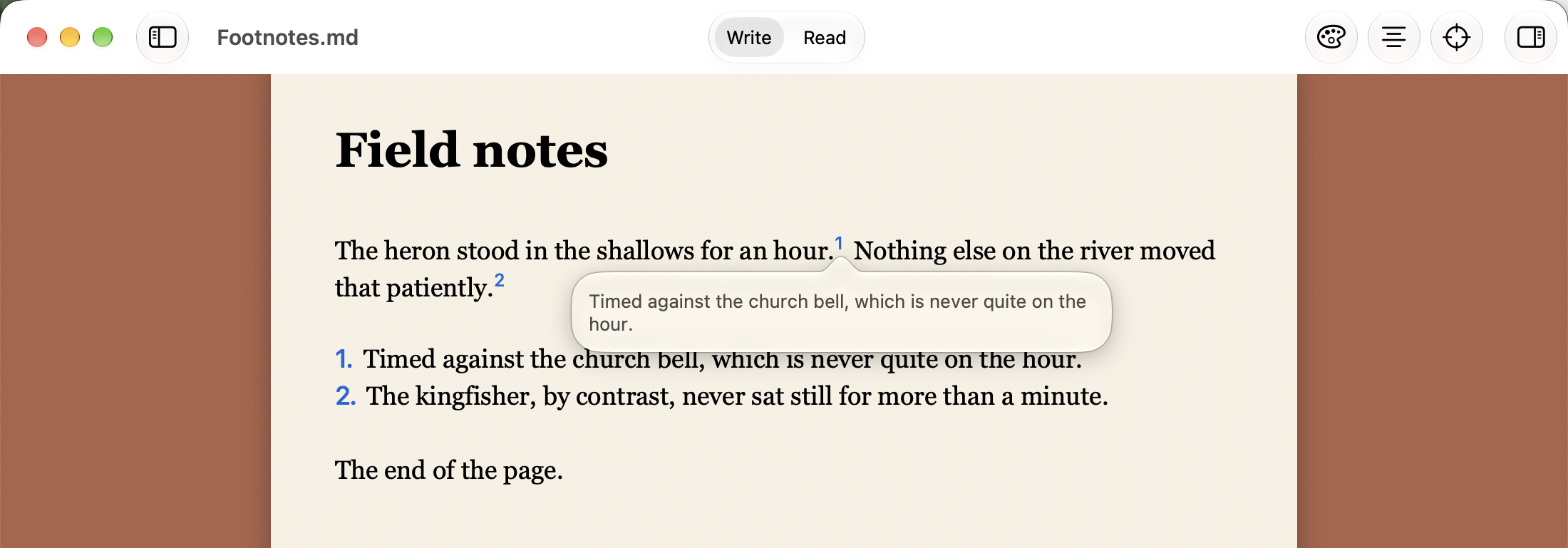
Insert → Footnote (⇧⌘N) adds a reference and its note and moves you to the note; Return takes you back. Rest the pointer on a number to read the note in a popover.
In the editor a note stays where you wrote it. PDF and print put it at the foot of its page; HTML, Word and EPUB collect notes at the end with links back.
You type
The heron stood in the shallows for an hour.[^1]

[^1]: Timed against the church bell, which is never quite on the hour.
Cartamd shows
Citations, the Pandoc way
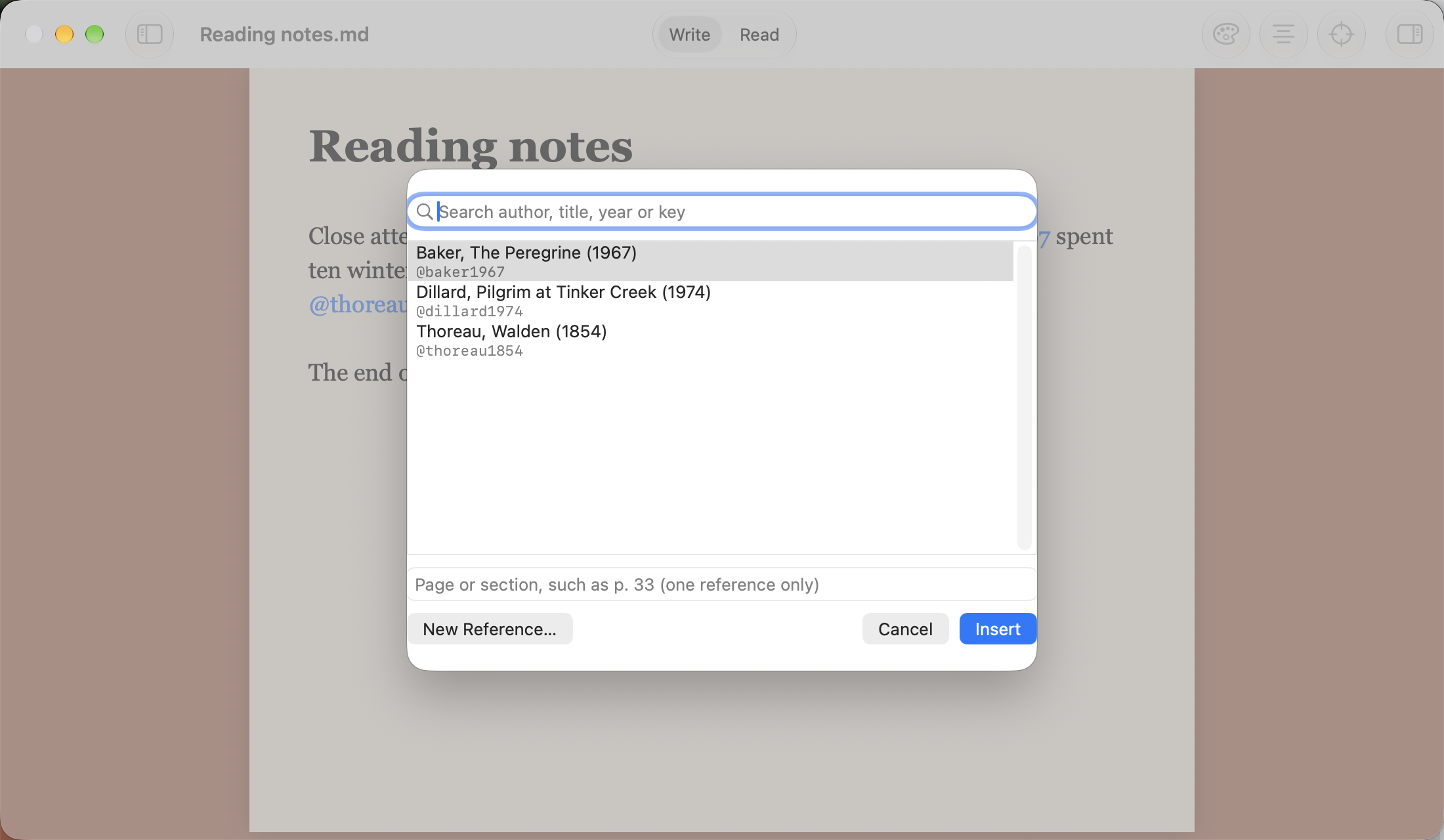
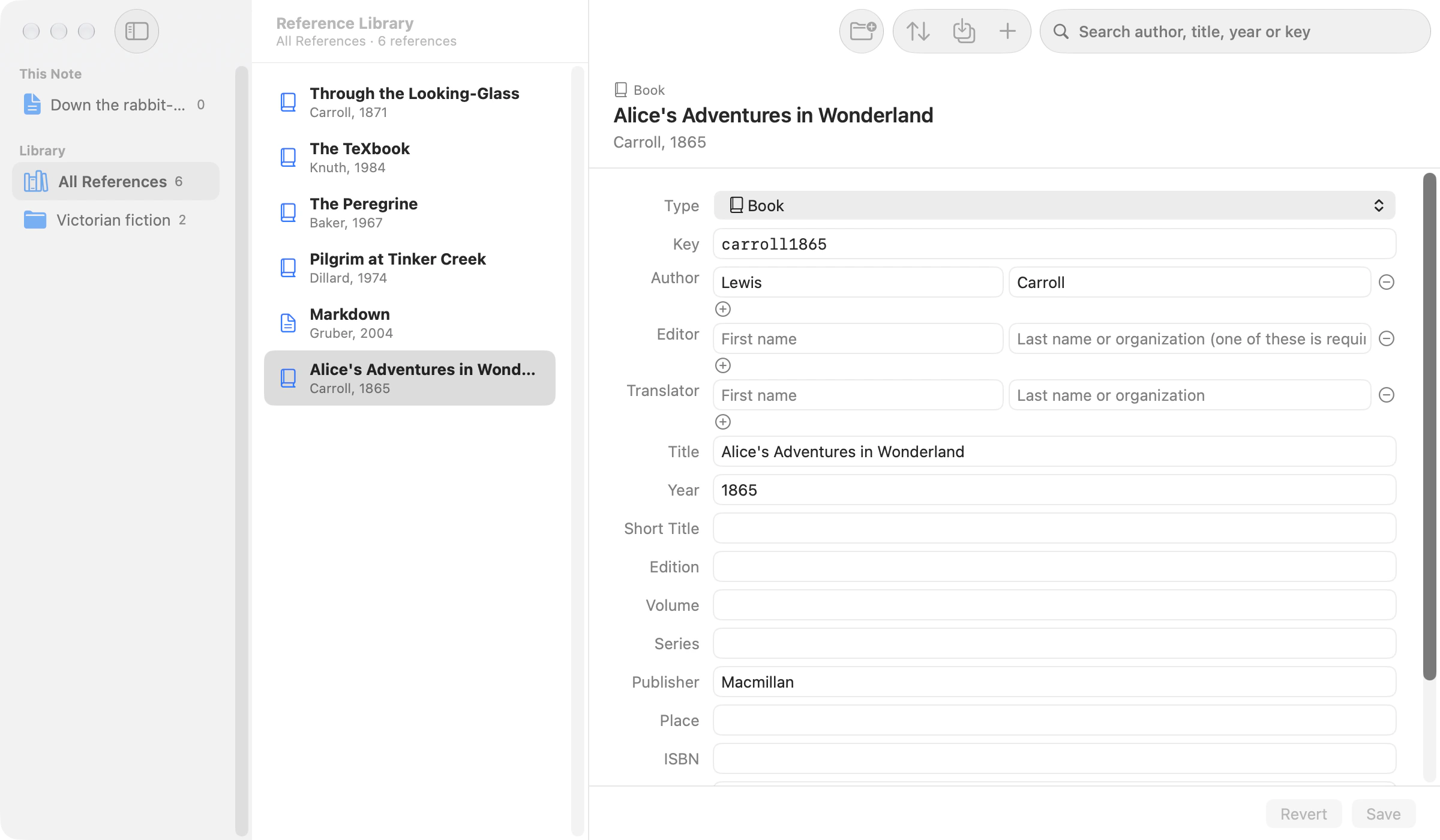
Cite with [@key], [see @key, p. 33] or @key. Cartamd keeps one reference library for all your notes, with collections to group references by course or paper. It imports and exports .bib files from Zotero, JabRef, Mendeley or Google Scholar, and also reads a .bib you keep beside a note.
PDF, HTML, Word and EPUB write author-year citations linked to a References section; set biblio-style: numeric for numbers. LaTeX export hands citations to biblatex.
You type
Close attention is a kind of devotion [@dillard1974, p. 33]. @baker1967 spent ten winters following one bird [see @thoreau1854; @baker1967].
Cartamd shows
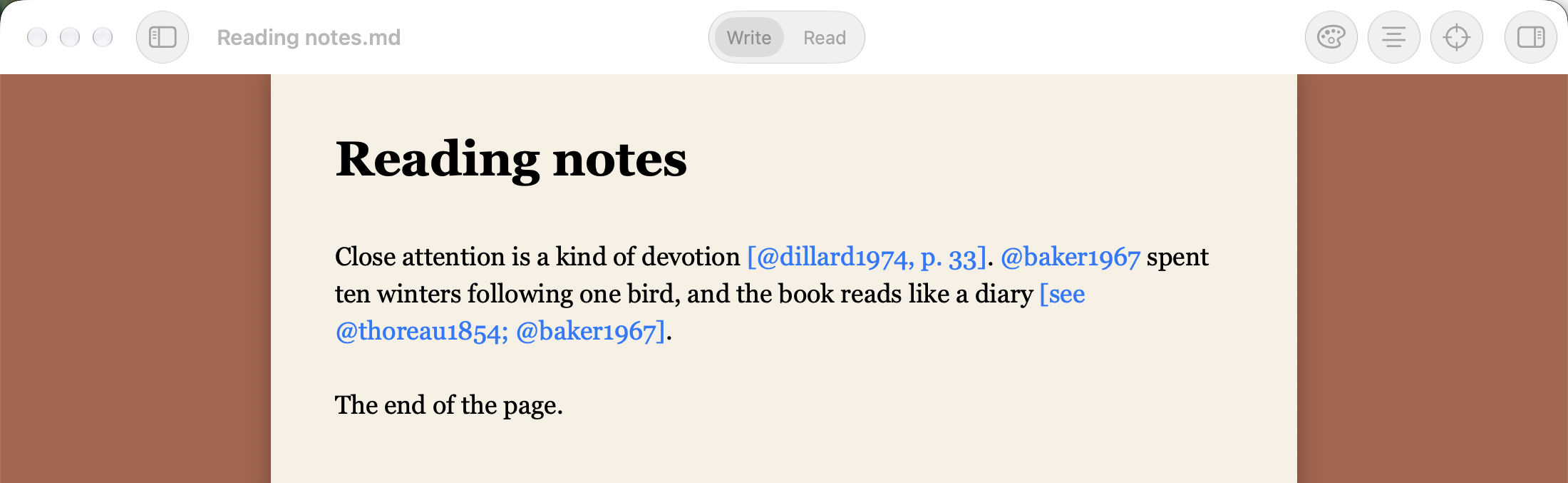
Exports turn these into (Dillard 1974, p. 33), Baker (1967) and (see Thoreau 1854; Baker 1967).
Books and long documents
- Title pages, Centered or Classic, from a Heading 1 title, an optional subtitle and author, ended with
---. - Chapters that start on a new page, at the heading level you pick.
- An optional table of contents, with page numbers in PDF and print. A line with only
[TOC]places it. - PDF bookmarks for every heading, nested like the outline.
The editor always shows ordinary Markdown; these apply when you print or export. See Print and export.